GuideKeywords and search
Amazon keyword research: finding the phrases shoppers type, with real search volumes
How to find the phrases shoppers type on Amazon, read search volumes without being misled, choose a main phrase and supporting phrases, and place each in the title, Item highlights, bullets and backend search terms.

On this page
Amazon keyword research is finding the phrases shoppers really type for your product, from Amazon's search bar, Brand Analytics, competitors' listings, your reviews and keyword tools with search volumes, then placing them where Amazon reads them. The main phrase goes in the 75-character title, the next details in Item highlights, supporting phrases in the bullets, and synonyms in the 250-byte backend search terms.
Amazon search works on words. A shopper types a phrase, and Amazon looks for listings whose words match it. Keyword research is the work of finding out which phrases shoppers really type for your product, then putting them where Amazon reads them. Done well, it is the difference between a listing that appears for the searches that sell and one that appears only for its product name.
This guide covers where to find the phrases, how to read search volumes, how to choose a main phrase and supporting phrases, where each goes on the listing, and how often to redo the work.
Where do you find the phrases Amazon shoppers type?
Amazon's guide to keyword research names three places to find the phrases Amazon shoppers type:
- The search bar. "Start typing a keyword related to your product, and Amazon will show you auto-complete suggestions." Those suggestions come from what shoppers search.
- Brand Analytics. For brands in Brand Registry, Amazon's reports show the most popular search terms in a period (Top Search Terms), the search terms that bring shoppers to your brand (Search Query Performance), and which keywords drive impressions, clicks and sales for your products (Search Catalog Performance).
- Competitors' listings. Amazon suggests reviewing the titles, bullets and descriptions of best-selling products like yours.
Two more sources worth adding:
- Your reviews and questions. The words customers use to describe your product are the words the next shopper types.
- Keyword tools with search volumes. They list related phrases and how often each is searched, so you can choose between them.
What does a search volume mean for Amazon keywords?
A search volume is how often a phrase is searched in a month. Two things to know before you trust one:
Amazon figures and Google figures are different numbers. A phrase searched often on Google can be searched rarely on Amazon, and the other way round. Shoppers often search Google to learn and Amazon to buy, so "how to clean a cast iron pan" is a Google search and "cast iron pan 12 inch" an Amazon one. For an Amazon listing, use figures for Amazon searches where you can get them.
Every figure outside Amazon comes from a third party. Amazon's Brand Analytics shows how search terms rank, for brands in Brand Registry. Keyword data providers, such as DataForSEO, publish search volumes for Amazon searches and Google searches from their data. Those figures are useful for comparing phrases with each other: if one phrase has ten times the volume of a similar phrase, it is very likely the more common wording. They are less useful as a forecast of visits.
How do you choose a main phrase and supporting phrases?
Sort the Amazon phrases you find into three groups, the main phrase, supporting phrases and the long tail:
| Group | What it is | Example for a stainless steel water bottle |
|---|---|---|
| Main phrase | What the product is, in the words most shoppers use | "insulated water bottle" |
| Supporting phrases | Features, materials, sizes and uses shoppers add | "stainless steel water bottle", "32 oz water bottle", "water bottle with straw" |
| Long tail | Longer, specific searches with fewer shoppers but clear intent | "insulated water bottle for hiking", "leak proof bottle for gym bag" |
The main phrase is usually the one with the most searches that truly describes your product. Supporting phrases add the features a shopper filters by. The long tail catches shoppers who know exactly what they want.
Two tests before a phrase makes the list:
- Is it true? A phrase for a feature your product does not have brings shoppers who will not buy, or who will return it.
- Is it yours? A phrase that names another brand's product describes theirs, not yours.
Where do keywords go on an Amazon listing?
Each part of an Amazon listing takes different phrases, within its limit:
| Part of the listing | Phrases | Limit |
|---|---|---|
| Title | Brand, main phrase, one or two attributes | 75 characters in most categories since 27 July 2026 |
| Item highlights | The next most important details | 125 characters |
| Bullets | Supporting phrases inside plain sentences | Amazon's August 2024 rules on characters and phrases |
| Description | Main and secondary phrases | Replaced on the page by A+ content where you have it |
| Backend search terms | Synonyms, other names, spelling variations | 250 bytes |
In more detail:
The title. Since 27 July 2026, titles in most categories are 75 characters or fewer. Put the brand, then the main phrase, then one or two attributes that separate your product. Amazon's guide asks for the main keyword worked in naturally, with the title kept clear and easy to read.
Item highlights. The 125 characters beside the title take the next most important details, such as materials and uses. Amazon says the Item name and Item highlights are both inputs for search, and neither is prioritised over the other.
Bullets. The supporting phrases, inside sentences that describe features and benefits. Since August 2024, Amazon restricts special characters, emojis and some phrases in bullets, so write them as plain sentences.
Description. The main and secondary phrases, in a readable description. If your listing has A+ content, it takes the description's place on the page.
Backend search terms. The phrases you could not fit elsewhere: synonyms, other names, spelling variations. Amazon's staff set the rules: up to 250 bytes, words separated by spaces, no punctuation needed, no repeated words, no misspellings, no stop words, and nothing already in the title or brand. Amazon's guide adds: use lowercase, and do not repeat words from the title, bullets or description.
Two rules apply everywhere:
- No word more than twice in the title, apart from prepositions, articles and conjunctions.
- No keyword stuffing. Amazon's guide warns that stuffing can harm a product's ranking, and the title must still be easy to read.
How do you check an Amazon listing for keyword stuffing?
Once the phrases are in place, open the Amazon listing on your phone and read it as a shopper who has never seen the product. The title should say what it is in the first few words. Item highlights should answer the next question. Each bullet should be a sentence a person would write, not a row of keywords. If any part reads like a list of searches, rewrite it: Amazon's guide is clear that a title must stay easy to read, and shoppers decide in seconds.
A worked example
For the water bottle above:
- Title (75 characters or fewer): Brand, "Insulated Water Bottle", "32 oz", "Stainless Steel", "Straw Lid".
- Item highlights: "Double-wall vacuum insulated, leak-proof straw lid, fits most cup holders, dishwasher-safe lid".
- Bullets: one each on temperature, the lid and straw, the size and fit, cleaning, and what is in the box, each using one or two supporting phrases.
- Backend search terms: "flask canteen tumbler thermos hiking gym travel sports kids adults reusable metal".
Each line holds only what is true of the product. If the lid is not dishwasher-safe, that phrase does not go in, however often it is searched.
Can you use competitors' keywords on Amazon?
You can use competitors' phrases on Amazon, but not their claims or their brand names. Looking at competitors' listings is useful for one thing: learning how shoppers describe the product. Note the phrases that appear again and again in the best-selling titles. Leave the claims behind. A competitor's "keeps ice frozen for two days" is a claim they have to prove. Unless your product has been tested to the same result, it is not yours to repeat.
And keep other brands' names out of your listing, titles and backend search terms included. A phrase naming another brand describes their product.
How do keywords work for variations and other Amazon stores?
Variations. When a listing has several sizes or colours, shoppers often search with the variation in the phrase: "32 oz water bottle", "black water bottle". The size or colour belongs in that variation's title and attributes, so a shopper searching for it finds the right child listing.
Other stores. Research each Amazon store separately. Spelling changes between the US, Canada and the UK ("color" and "colour", "aluminum" and "aluminium"), and so do the words shoppers use for the same thing: a "flashlight" in the US is a "torch" in the UK. In Canada, some shoppers search in French. A listing copied from one store to another keeps the first store's words, which may not be the second store's searches.
Which Amazon keyword mistakes cost searches?
Six Amazon keyword mistakes cost the most searches:
- A main phrase nobody types. The name your supplier gave the product is rarely the phrase shoppers use. Check it against search volumes.
- Every phrase crammed into the title. Since the title went to 75 characters, a stuffed title reads badly and pushes out the attributes shoppers look for.
- Repeats in the backend. Words already in the title gain nothing by appearing again in search terms.
- Going over the byte limit. Amazon's limit is 250 bytes, so extra words are not a bonus.
- Other brands' names. They describe someone else's product, and keep their claims with them.
- Research done once. Shoppers' words change; your listing's should follow.
How many keywords does an Amazon listing need?
Amazon's guide suggests around 10 to 20 relevant keywords, mixing broad and specific terms. That fits the structure above: one main phrase, a handful of supporting phrases, and long-tail phrases and synonyms in the backend.
How often should you redo Amazon keyword research?
Amazon keyword research is not one-off work. Redo it:
- Every quarter, for your best sellers. Shoppers' words change with seasons and trends.
- When a listing's sales drop without a clear reason, such as stock or price.
- When Amazon changes a field. The move to 75-character titles and Item highlights in 2026 is the latest example.
- When you launch a new version of the product.
If you are in Brand Registry, Search Query Performance shows which search terms bring shoppers to your brand, which tells you whether the phrases you chose are working.
A keyword research checklist
- Collect phrases from the search bar, competitors, reviews and a keyword tool.
- Remove anything untrue or naming another brand.
- Choose the main phrase: the most searched phrase that truly describes the product.
- Choose five to ten supporting phrases.
- Place the main phrase in the title, the next details in Item highlights, supporting phrases in the bullets.
- Fill the backend search terms with synonyms and variations, under 250 bytes, no repeats.
- Read the listing aloud. If it sounds stuffed, take words out.
- Check again next quarter.
For the rest of the listing, see our Amazon listing checklist.
How Commicorn helps
- Phrases with search volumes. Commicorn's keyword research finds phrases for your product and shows search volumes for searches on Amazon and on Google, from a keyword data provider, so you choose with figures.
- Phrases competing listings are found for, so you see how shoppers describe products like yours.
- Banned keywords kept out. A keyword Amazon bans, or one naming another brand, is kept out, with the reason shown; a phrase naming a feature your details do not state is offered only if you confirm it is true.
- Phrases placed for you. Your title, Item highlights, bullets, description and backend search terms are written with your chosen phrases, to Amazon's limits, with the search terms cut to fit the byte limit.
Commicorn finds search volumes for your product and places the phrases for you. Start free.
Questions sellers ask
What is the best free way to find Amazon keywords?
Amazon's search bar. Start typing a phrase related to your product and Amazon shows auto-complete suggestions, which come from what shoppers search.
How many keywords should an Amazon listing have?
Amazon's guide suggests around 10 to 20 relevant keywords, mixing broad and specific terms.
Are Google search volumes the same as Amazon search volumes?
No. A phrase searched often on Google can be searched rarely on Amazon, and the other way round, so use figures for Amazon searches where you can get them.
Can I put other brands' names in my Amazon backend search terms?
No. A phrase naming another brand describes that brand's product, so keep other brands' names out of your listing, backend search terms included.
How long can Amazon backend search terms be?
Up to 250 bytes, with words separated by spaces, no repeated words and nothing already in the title or brand.
Sources
- Amazon: Effective Amazon keyword research (sell.amazon.com)
- Amazon Seller Forums (News_Amazon): Answers to your product title update questions
- Amazon Seller Forums (News_Amazon): Updates to improve your product titles begin on July 27
- Amazon Seller Forums (Jessica_Amazon_): Quick Tip, Search Terms
- Amazon Seller Forums (News_Amazon): New product title requirements effective January 21, 2025
- Amazon: Brand Registry
- DataForSEO Labs API: Amazon and Google keyword data
- Amazon Seller Forums (News_Amazon): Review updated bullet point requirements to optimize your listings
Keep reading
More in Guides
Amazon listing optimisation: a checklist for images, title, bullets, A+ and search terms
A working checklist for an Amazon listing in 2026: the main image rules, the 75-character title and Item highlights, bullets, A+ content and backend search terms, each with Amazon's wording linked.
Guide · 10 min read
Amazon A+ content: modules, image sizes and the wording that gets it rejected
What Amazon A+ content is, who can use it, how to plan Basic and Premium modules and the Brand Story, the wording Amazon's A+ guidelines rule out, and a plan to make one A+ page in an afternoon.
Guide · 9 min read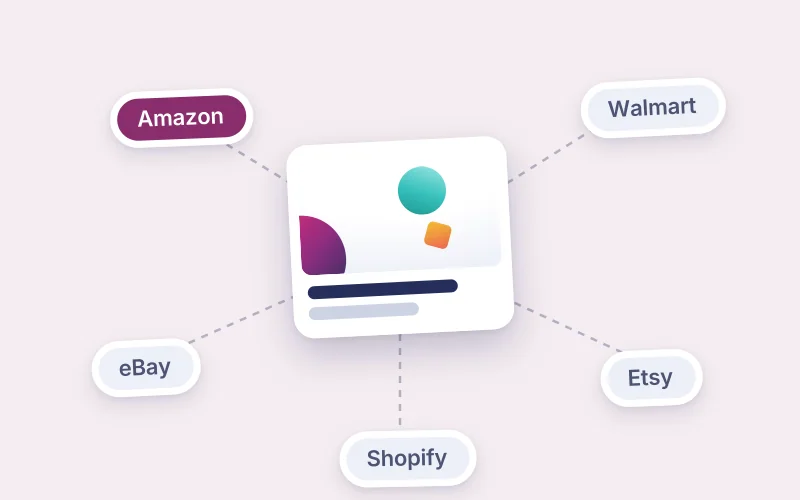
Listing one product on Amazon, Walmart, eBay, Etsy and Shopify without rewriting it five times
How to list one product on Amazon, Walmart, eBay, Etsy and your Shopify store without rewriting it five times: what changes between marketplaces, what must stay identical, and a master listing that feeds each version.
Guide · 9 min read